Request early accessEarly access

/solutions/agencies

A cloud per client. One place to run them all.

Give every client an organization of its own — its servers, databases, buckets, secrets and invoice — and move between them with one account. Nothing one client runs can reach another’s.

  • An organization per client
  • One account, many organizations
  • An invoice per client
another organizationanother organizationAcme Group — one isolated cloudvm-prod-1 · EU Centralcrm-prod · private networkvm-staging-1crm-stagingcrm-apicrm-admincrm-workercrm-mysqlcrm-api-stgcrm-redis-stg@crm-agent · 14 toolsacme-backups · bucketbackups/crm-mysql/a dump every 6 hoursprivate · downloads free

/the-path

Onboard a client in an afternoon.

Each step links to the page that explains it.

  1. 01

    An organization for the client

    Its own isolated cloud: servers, networks, databases, buckets, secrets, members, policies, billing and audit log — shared with nobody.

    Platform overview
  2. 02

    Your team, and theirs

    Invite your people and the client’s with the role each needs — Admin, Developer, Operator, Billing or Viewer. Require two-factor, or single sign-on on Enterprise.

    Security
  3. 03

    Their product, deployed

    Their repositories in a workspace, their stacks on their servers, their database backed up into their own bucket.

    Deployments
  4. 04

    Their own invoice

    Each organization is billed for what it runs, on its own card or — on Enterprise — by invoice. Usage shows each client’s month to date.

    Pricing
  5. 05

    Hand it over cleanly

    When the work is done, transfer ownership to the client and leave — everything they run stays where it is, and the audit log keeps the history.

    Security

/what-changes

Run many clients without mixing them up.

One account, many organizations.

A person belongs to as many organizations as they are invited to, with a role in each: a Developer at one client, the Owner of your own studio. The organization is in every address, and its name and logo are always in view — so nobody deploys into the wrong cloud.

  • Switching keeps you on the same area: from one client’s Deployments to the next one’s.
  • Each organization sets its own sign-in rules for everyone in it.
  • Each client’s audit log is theirs — our staff’s actions included.
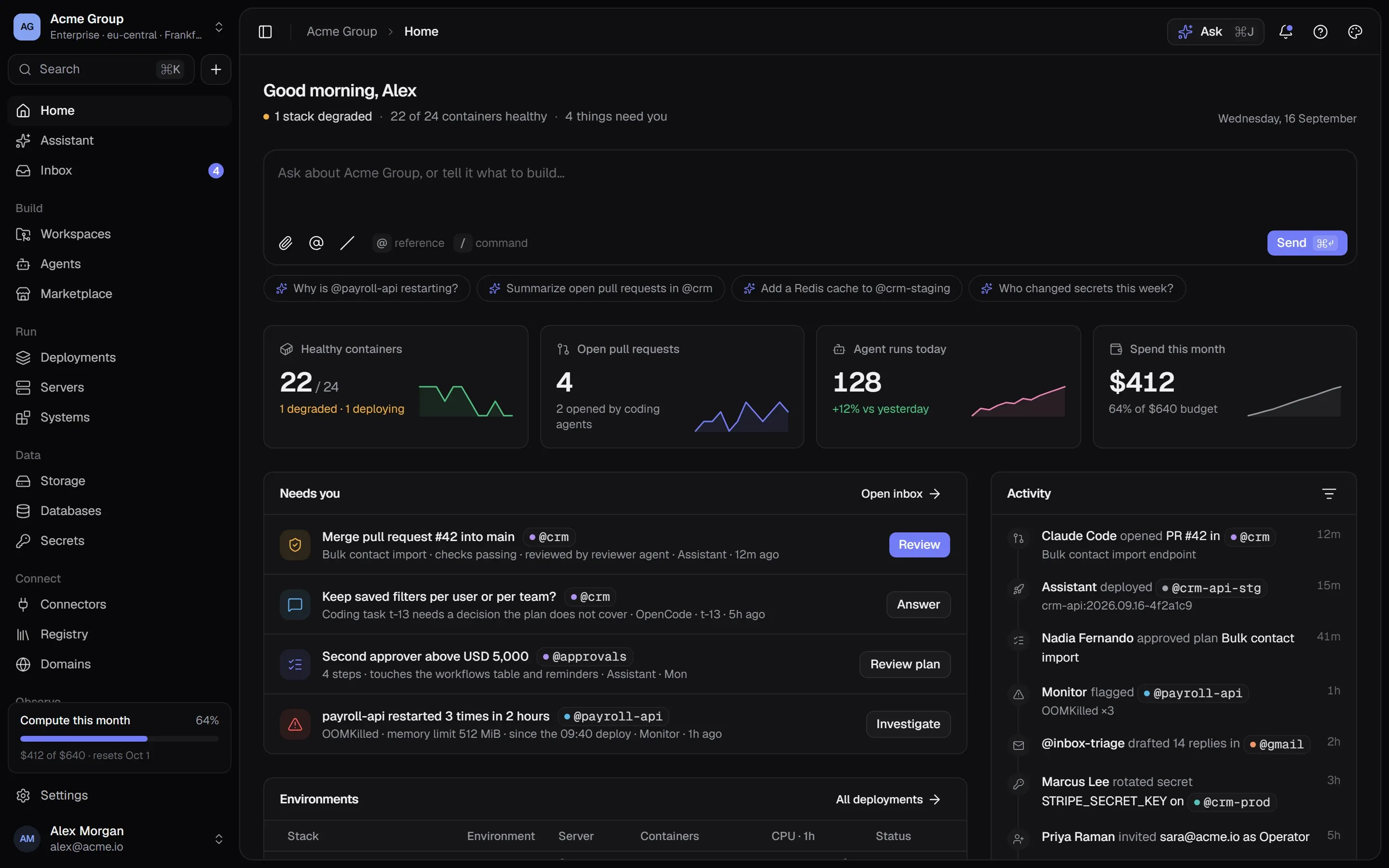
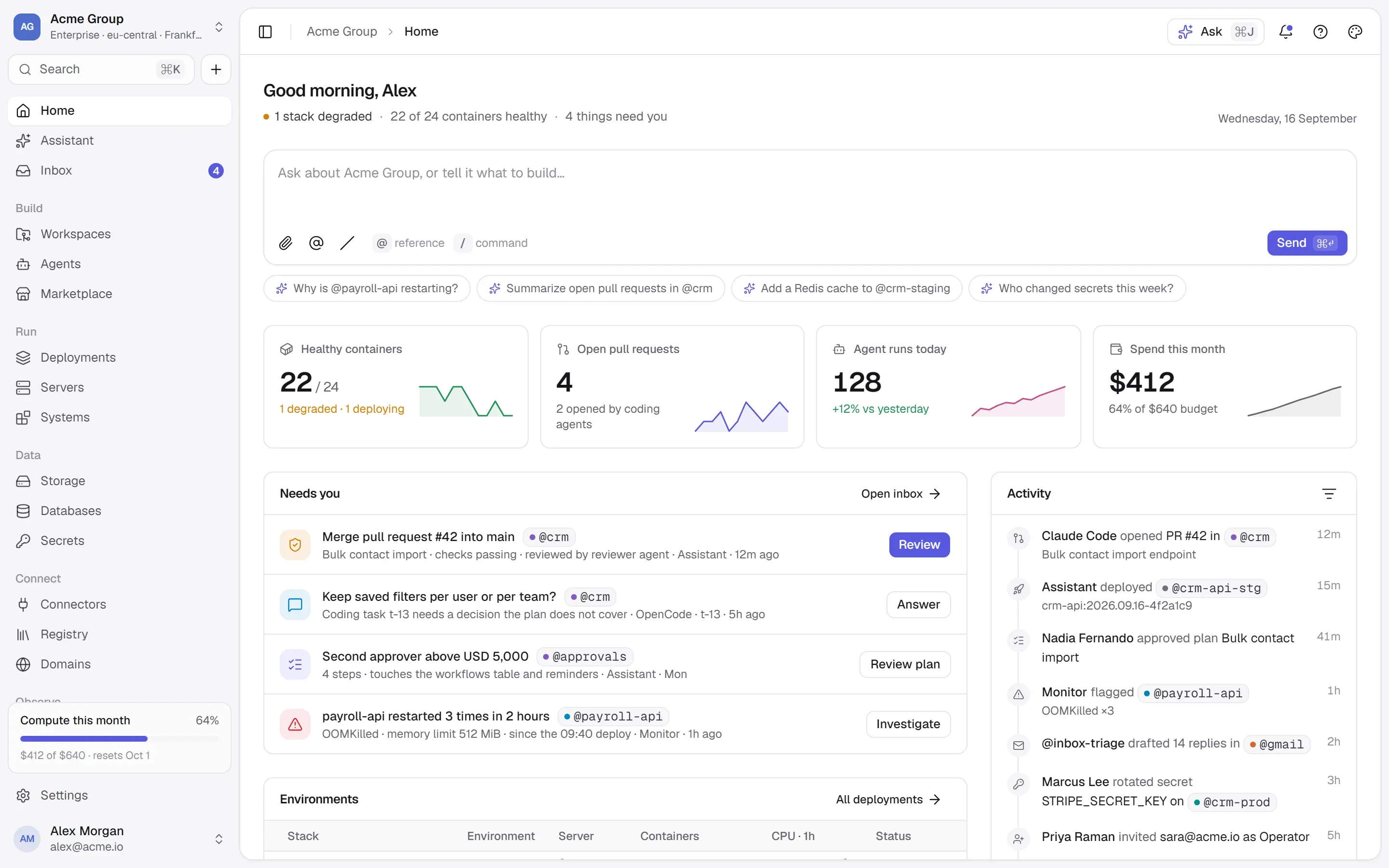
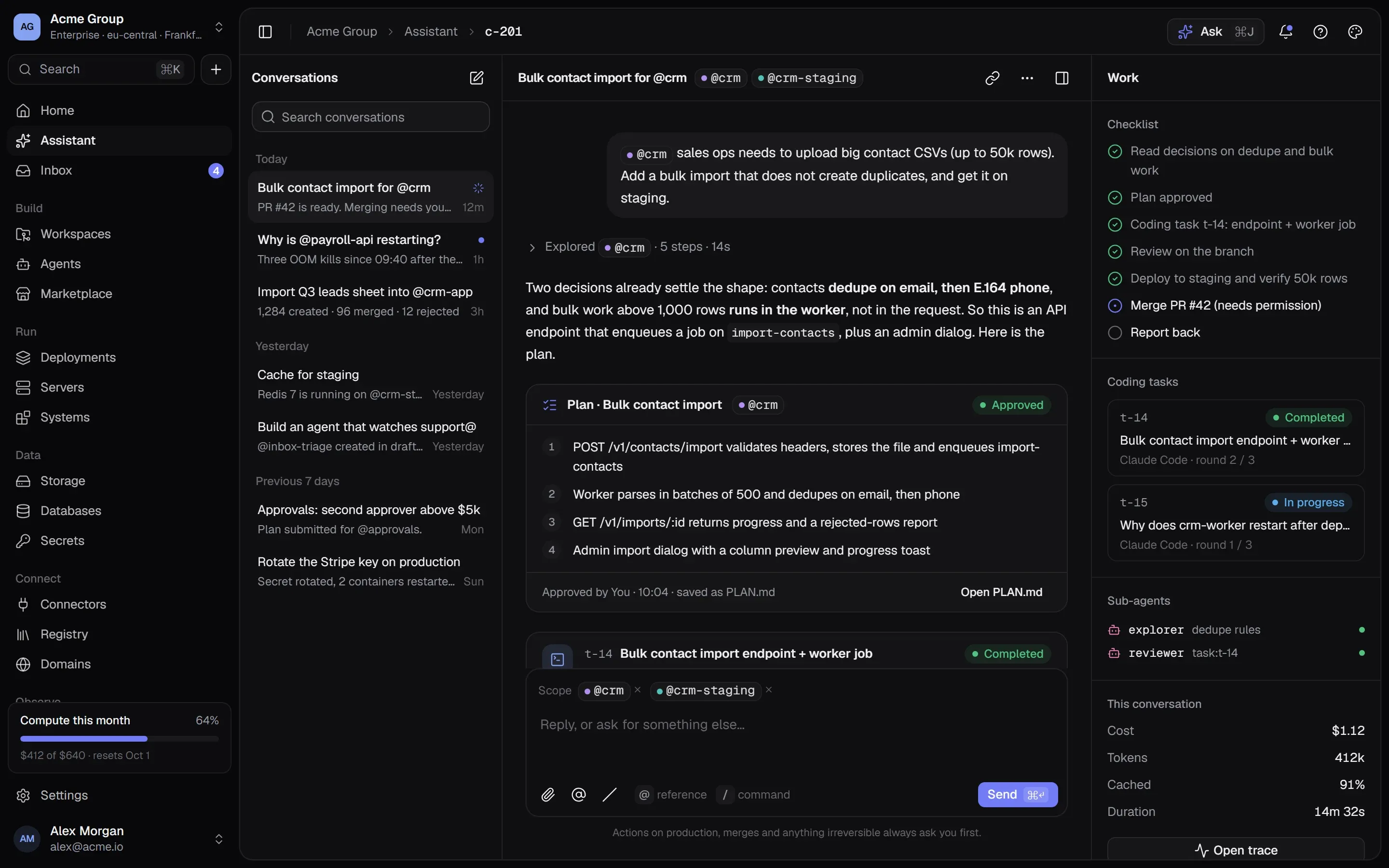
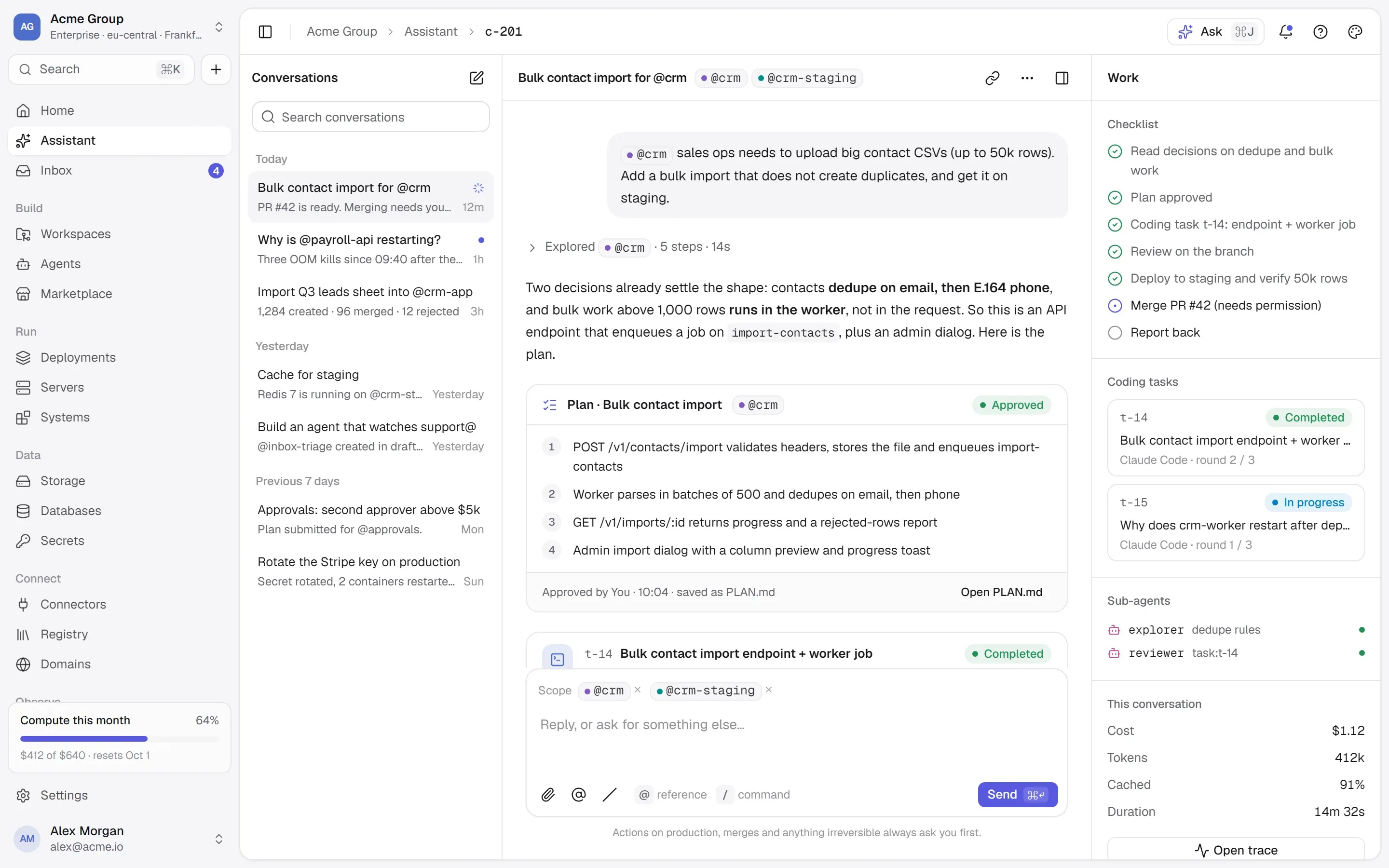
TalkingSuites Home: a box to ask or build, the health of every stack, open pull requests, agent runs, spend this month and the four things that need you.TalkingSuites Home: a box to ask or build, the health of every stack, open pull requests, agent runs, spend this month and the four things that need you.

Isolation you can show a client.

Separate organizations share nothing: not a machine, not a network, not a bucket, not a secret. Private ports are closed to everyone outside the organization by a firewall rule the platform writes and re-applies at boot.

  • Private ports admit only the organization’s own servers.
  • A bucket key opens one bucket and nothing else.
  • The Security page explains it all, for their reviewers.
@crm-mysqlport 3306 — who can reach it?
  • Internalnot publishedcontainers on its networks, by name
  • Local127.0.0.1:7098the server itself — or you, through an SSH tunnel
  • Privatethe private addressyour organization’s servers in the same location
  • Publicthe public addressanyone

vm-prod-2 — yours

another customer’s server — dropped by the firewall

/trust

Nothing irreversible without you.

Safety here is a set of mechanisms you can inspect, not a badge: what the platform will not do on its own, and what it writes down when it does.

How we keep it safe
  • An isolated cloud per organization

    Servers, networks, databases, buckets and secrets belong to one organization. Nothing is shared with anyone else.

  • Destructive means typed back

    A tool that changes data asks first; one that destroys it asks for its name typed back. Every call lands in a ledger.

  • Secrets never on a command line

    Encrypted and versioned, handed to a container only at deploy time — over stdin, never in a command or a log line.

  • See it before it runs

    Every create shows the exact Docker commands it will run, with secrets by name, before anything is made.

  • Deploys that can’t take you down

    The new container must pass its health check before the old one goes. If it fails, the old one is still serving.

  • Sign-in you control

    Passkeys, two-factor, single sign-on with OIDC or SAML 2.0, verified email domains — and you can require them.

/start

Your next client, in their own cloud.

Request early access; each client’s organization pays for what it runs.

Quick links

Request early accessthe way in
Platform overvieweverything in one isolated cloud
Marketplaceapps, databases, Docker Hub, MCP
Pricingplans, usage, AI credits
Securityisolation, secrets, approvals, audit
Changelogwhat shipped, newest first
Talk to ussales, help, security, privacy

Appearance

Dark mode
Light mode
System mode
Moonlight palettesilver-white · moon blue · lavender grey · the default
Signal paletteindigo · the classic
Ember paletteorange · amber · crimson
Aurum palettegold · bronze · champagne
Clay paletteterracotta · rust · sand
Mocha palettecaramel · mocha · cream
Rosewood palettedusty rose · wine · blush
Sage palettesage · eucalyptus · oat
Tide palettesea teal · deep sea · seafoam
Slate palettesteel blue · slate · mist
Dusk palettelilac · mauve · slate blue
Indigo accent
Violet accent
Blue accent
Teal accent
Emerald accent
Amber accent
Orange accent
Rose accent
Graphite accent
Cool surface
Neutral surface
Warm surface
Midnight surface
↑↓ move↵ open⌘K or / anywhere on the site