Request early accessEarly access

/marketplace

Start from something that works. Know exactly what it will create.

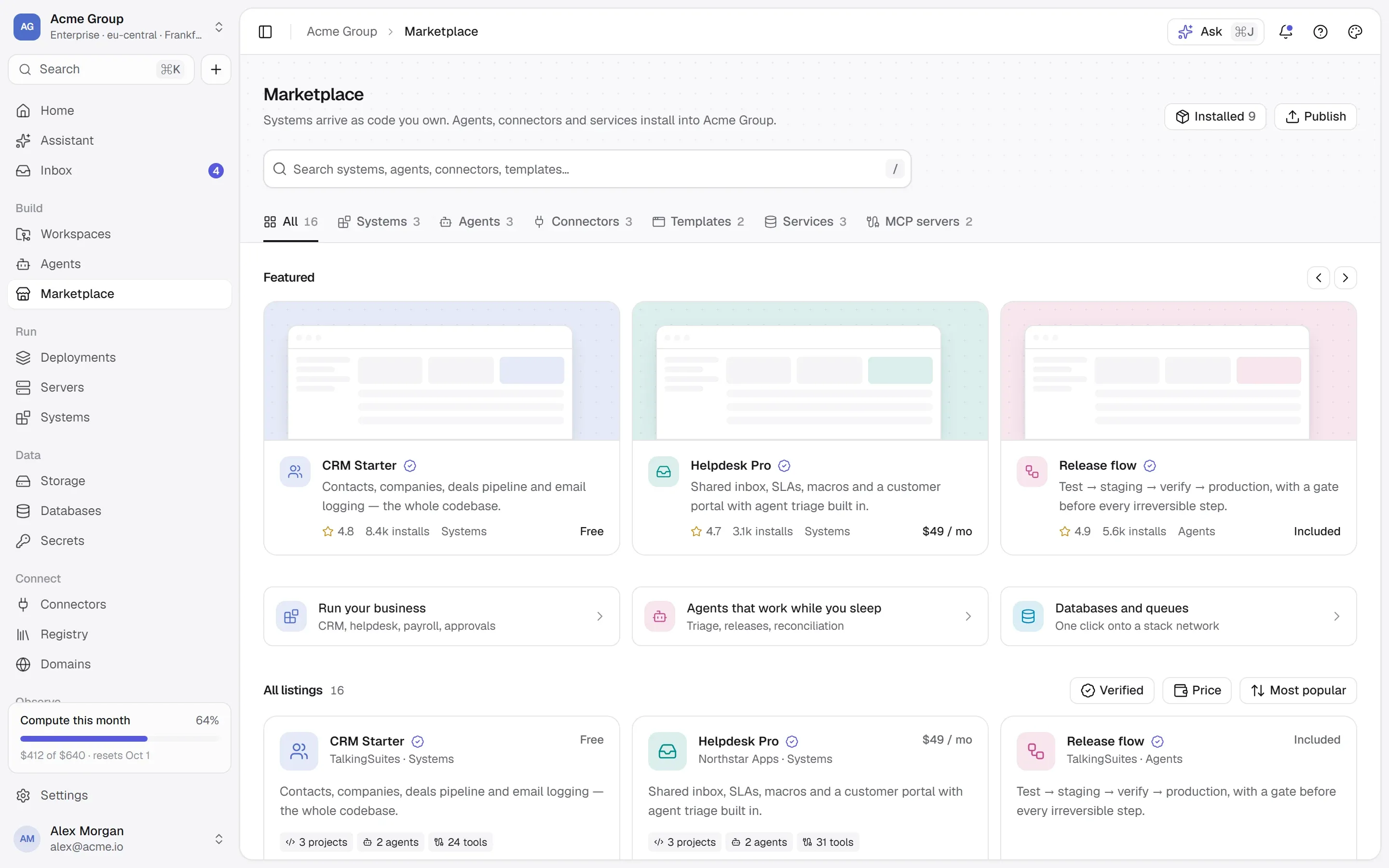
Three shelves behind one search: applications and databases we wrote and checked, every public image on Docker Hub, and the MCP server registry. Whatever you install becomes an ordinary stack you own — reviewed before it runs.

  • 23 ready-made applications
  • 19 databases
  • Free to install
  • n8nAutomation · app + PostgresInstall
  • GrafanaMonitoringInstall
  • WordPressContent · app + MariaDBInstall
  • postgresDocker Official ImageInstall
  • pgvector/pgvectorPostgres with vector searchInstall

README read: POSTGRES_PASSWORD is required

  • GitHubissues, pull requests, codeInstall
  • Filesystemread and write filesInstall
  • Fetchweb content for agentsInstall

/catalogue

The ready-made shelf. Every listing has a page.

The applications and databases we wrote and checked. Open one to see every container, port and variable it will create — the same page the app shows before you install.

42

/shelves

Three shelves, one search.

Ready-made, and it says what it will do.

Every listing has a page that says exactly what it will put on your server: each container and its image, each port and how far it is exposed, each environment variable and where its value comes from, what it keeps. A password it needs is generated and kept as a real secret, never a string in a configuration.

  • A recipe that needs PostgreSQL can use the one you already run instead of making a second.
  • Memory limits are a default, not a requirement: one switch installs without them.
  • If any part fails, what was made is removed — a half-installed stack is worse than none.
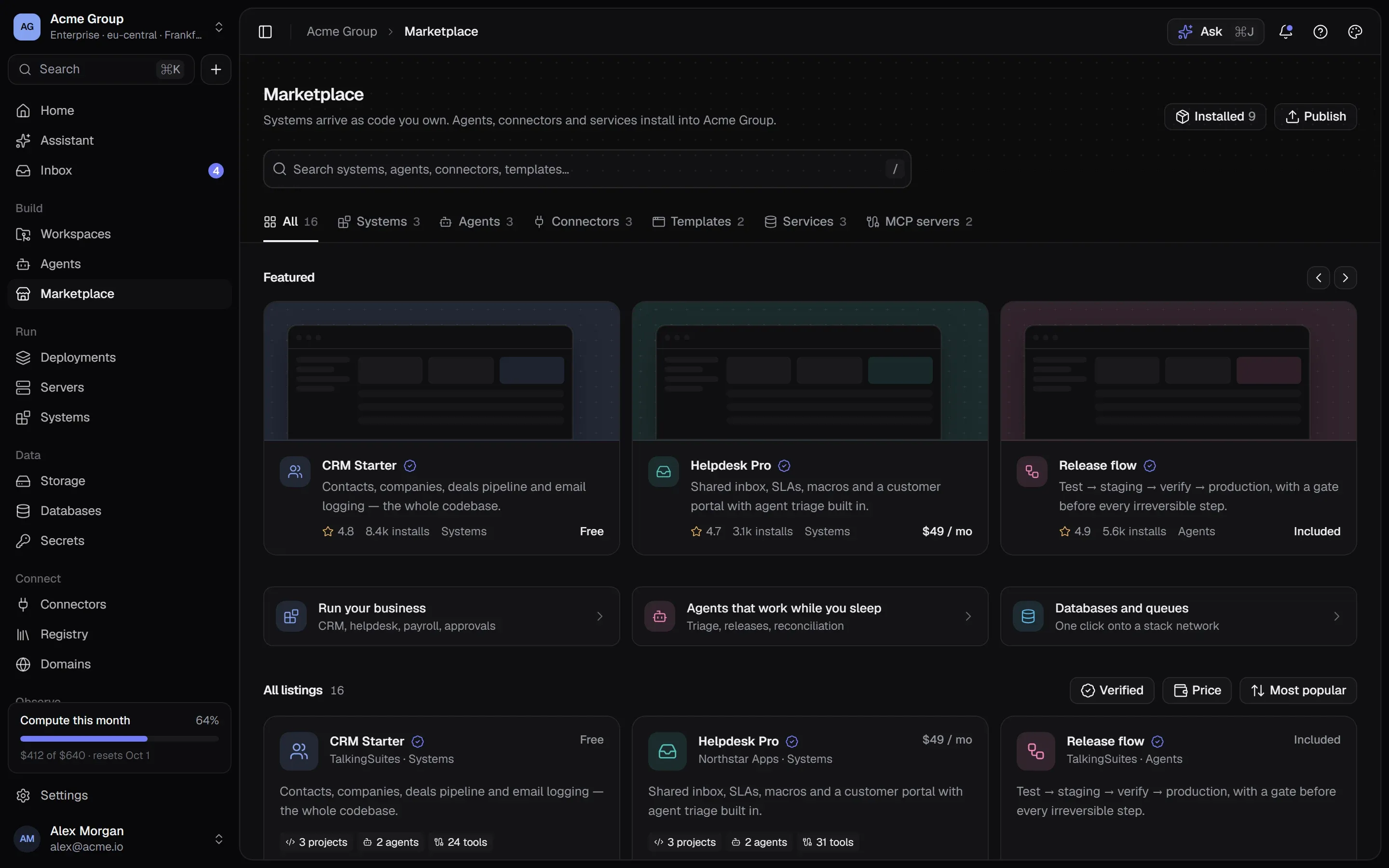
The Marketplace: featured listings, collections and a grid of systems, agents, connectors, templates and services.The Marketplace: featured listings, collections and a grid of systems, agents, connectors, templates and services.

Any public image — its README read for you.

Search Docker Hub live, filter by Docker’s own trusted-content badges and categories, and pick any public image. Docker Hub has no list of required settings, so the image page reads the README: the variables its examples set, the ones it calls required, “one of these” groups with the right one ticked. They are suggestions, and the page says so — nothing is applied that you did not look at.

  • Only examples that run this image count — a README’s database settings don’t leak into its app.
  • Hardened images get a page and the ordinary image to deploy instead: pulling one needs a Docker account.
  • Or paste any image address — Docker Hub, GitHub’s registry, anywhere that allows anonymous pulls.
mariadb · suggested from its README
# Docker Hub has no field for required settings — read from the README, not checked by Docker or by usOne of these is required:  ● MARIADB_ROOT_PASSWORD        generate a secret  ○ MARIADB_ALLOW_EMPTY_ROOT_PASSWORD  ○ MARIADB_RANDOM_ROOT_PASSWORD  ○ MARIADB_ROOT_PASSWORD_HASHMARIADB_DATABASE               optionalMARIADB_USER · MARIADB_PASSWORD   optional — for a user to be created+ 14 more the README documents

The MCP server registry, as a library.

The official Model Context Protocol registry, browsable here — the latest version of each server. One that ships as a container deploys like any image, and its container page then offers “Publish as a system”. One that answers at an address can be published as a system in one step: its tools read, tried and recorded.

  • Published as a system, a server’s tools join your Registry with their classes.
  • Connecting a server to an agent waits for agents — and there is no button pretending otherwise.
  • The environment each server needs is listed, the way an agent needs it.
crm-apicontainer · :3000/mcp · private networkMCP 2026-07-28
@crm-agentproduction14 tools

Acme CRM — contacts, companies, deals and files.

  • contacts.search(query, limit)reads
  • contacts.bulk_upsert(rows[], dedupe_on)writes
  • files.attach(entity, id, file)writes
  • deals.update(id, stage)writes
  • contacts.merge(keep, merge)destructive
  • + 9 more
Type contacts.merge to confirmcontacts.merge
INSTRUCTIONS.mdTOOLS.mdrecorded · tcl_7fa2

/after-install

It becomes a stack you own. Nothing special about it.

  • An ordinary stack

    After the install there is nothing special about what it made: the same logs, deploys, rollback and secrets as anything you add by hand.

  • Real secrets

    A password a recipe generates, or a value you mark secret, becomes an encrypted secret — absent from every response and log.

  • Reviewed first

    Install is two steps: where it goes and the choices, then the review of every container it will make, approved before anything runs.

  • Reviews from people who ran it

    Only an organization that installed a listing can review it — one review per person, stamped with the version.

/faq

The Marketplace, answered plainly.

Something else? Write to [email protected] or use the contact page — a person answers.

What does a listing cost?

Nothing to install. You pay for the server it runs on and whatever it uses — like anything else you run. There are no paid listings.

Can I change an app after installing it?

Yes — it is an ordinary stack you own. Change its image, its variables or its ports like any container. Upgrading a listing in place is not a separate flow: you change the image version on the container.

Who decides what is on the shelf?

Our own listings are written and checked by us before they are published; the Docker Hub and MCP shelves are Docker’s and the registry’s own catalogues, read live and never copied. Publishing your own listing is by arrangement — write to us.

Can I deploy a private image?

Images come from registries that allow anonymous pulls, or are built on your server from your own code in a workspace — which covers private code.

Do apps come with a domain?

Yes: give it a domain of yours with HTTPS, renewed on its own — or reach it on a published port, or through Nginx or Caddy on the server.

/start

Install something that works.

Request early access. Every listing is free — you pay for the server it runs on.

Quick links

Request early accessthe way in
Platform overvieweverything in one isolated cloud
Marketplaceapps, databases, Docker Hub, MCP
Pricingplans, usage, AI credits
Securityisolation, secrets, approvals, audit
Changelogwhat shipped, newest first
Talk to ussales, help, security, privacy

Appearance

Dark mode
Light mode
System mode
Moonlight palettesilver-white · moon blue · lavender grey · the default
Signal paletteindigo · the classic
Ember paletteorange · amber · crimson
Aurum palettegold · bronze · champagne
Clay paletteterracotta · rust · sand
Mocha palettecaramel · mocha · cream
Rosewood palettedusty rose · wine · blush
Sage palettesage · eucalyptus · oat
Tide palettesea teal · deep sea · seafoam
Slate palettesteel blue · slate · mist
Dusk palettelilac · mauve · slate blue
Indigo accent
Violet accent
Blue accent
Teal accent
Emerald accent
Amber accent
Orange accent
Rose accent
Graphite accent
Cool surface
Neutral surface
Warm surface
Midnight surface
↑↓ move↵ open⌘K or / anywhere on the site